Opening JobReel
Getting your jobs and posts ready to review.
Getting your jobs and posts ready to review.
FOR FENCE INSTALLERS
Turn the fence line, gate and details you built into a branded post. Your installation photos stay at the centre of it.
Try it on your next jobFour free pilot jobs. No card required.
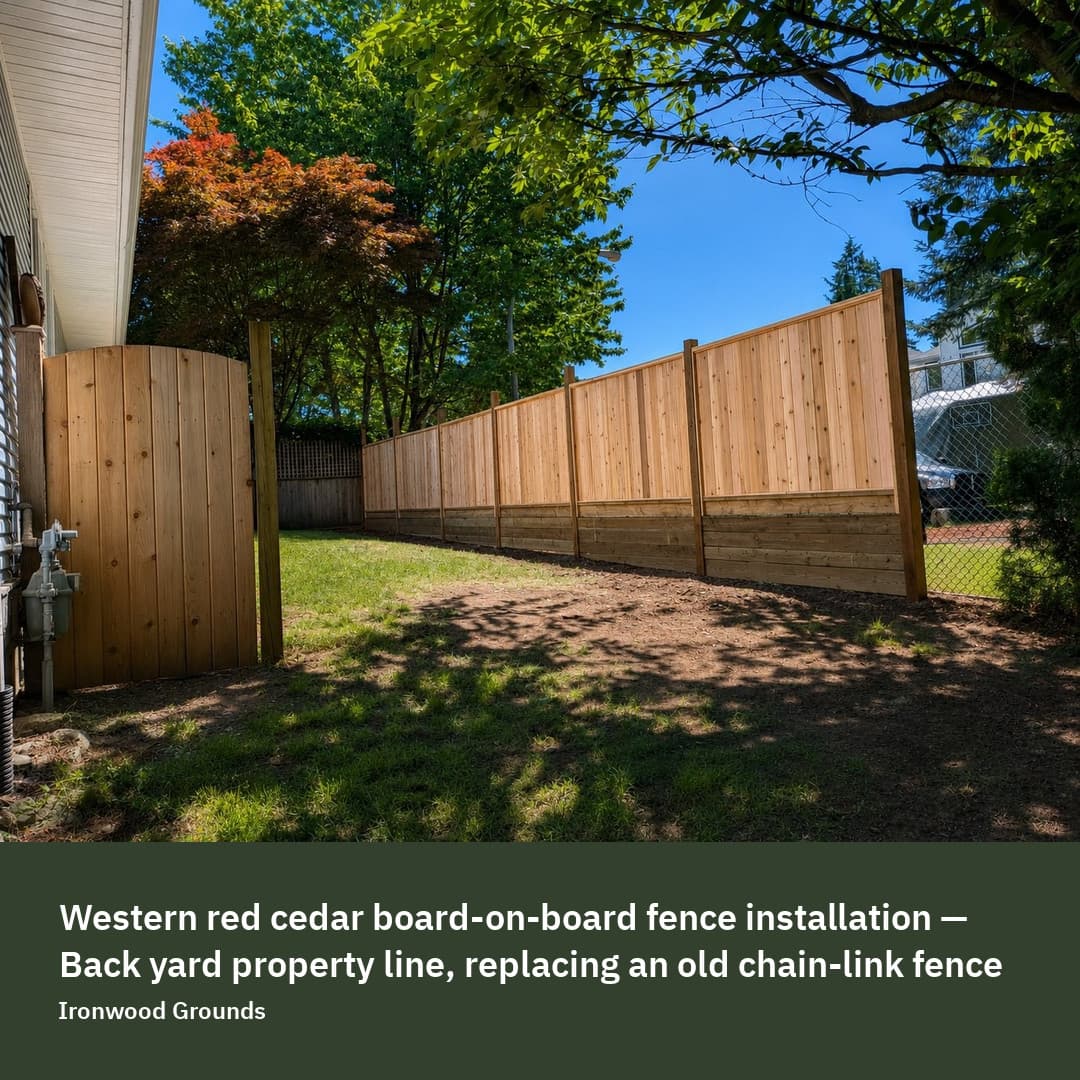
Take a wide photo along the finished fence line and a second photo of the gate or a detail. If you have a before photo, use the same viewpoint. A new gate in the foreground can make an old fence behind it hard to understand; choose a comparison that makes the changed section clear.
Different parts of a fence can use different materials. ‘Pressure-treated’ on its own is ambiguous. ‘A pressure-treated base course sits at the ground line’ says what the material belongs to. Confirm the wood species, style and components you actually used.
A photo can show a fence, but it cannot prove a lifespan, a warranty or structural performance. JobReel checks many unsupported phrases and lets you edit the draft. You still make the final call on the words and the photo.
Review the branded image and caption, approve the version you want and download it. Copy the text into your next social post. The example here is the founder’s Ironwood Grounds work, generated in JobReel; it is not an independent customer endorsement.